


Images

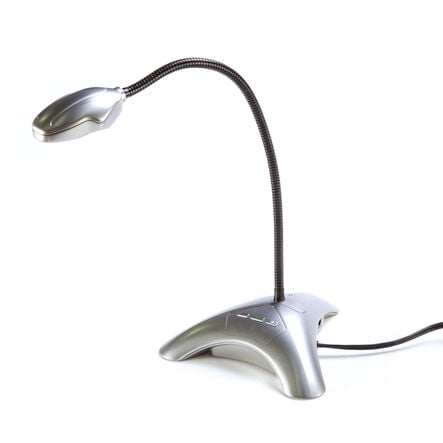



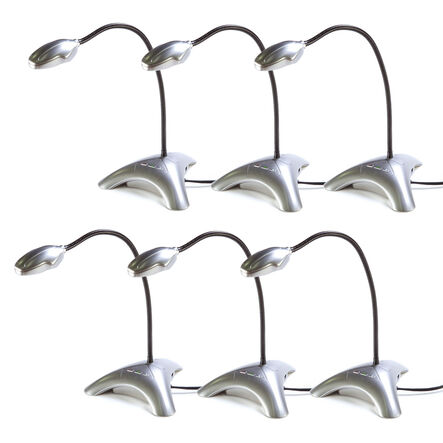


TTS Easi-View Visualiser
https://www.tts-group.co.uk/tts-easi-view-visualiser/1006586.html Product Code: make all selections to view product codePromotions

Product Actions
Product Information
Overview
-
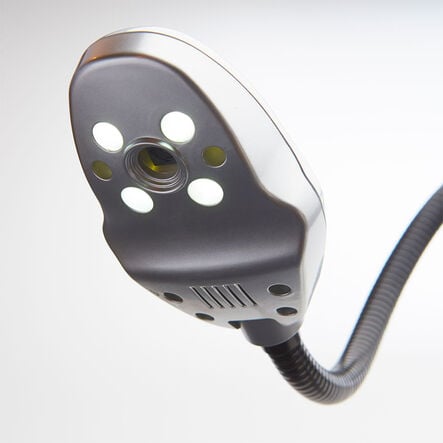
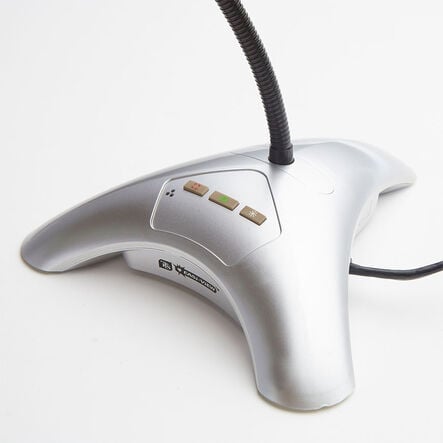
USB direct plug, Internal microphone, 3.0 MP digital images, 8x LED's, Still and video capture, Flexible gooseneck, Webcam facility, Focus on demand, Tripod base for stability
-
Guarantee 1 Year
Specification
Guarantee
TTS Developed
 Bulk Packs
Helping to Support Teaching and Learning
-
Simple Connectivity
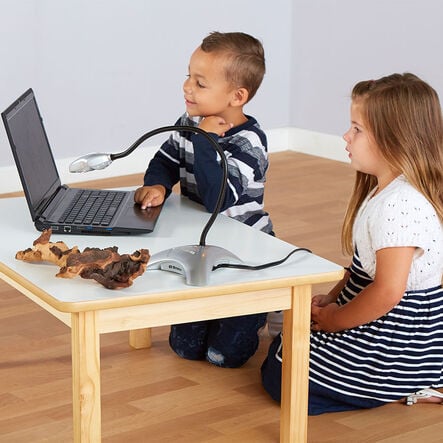
Connects seamlessly with computers and interactive whiteboards, making it a pivotal tool for enhancing classroom dynamics and interactivity.
-
Versatile Viewing Options
This device displays A4 documents and books, doubles as a webcam, and supports stop-frame animation, making it versatile for education.
-
Detailed Close-Ups
The flexible gooseneck design provides detailed close-up views for examining documents and objects effectively during lessons.
-
Enhanced Visibility
Features eight built-in LEDs to illuminate documents clearly, ensuring that all images presented are vibrant and clear, even in poorly lit conditions.
-
Supports Visual Learning
This visualizer uses visual aids and illustrations to make abstract concepts clearer and support diverse learning styles, enhancing understanding.
TTS Easi-View Visualiser
Combines popular features in a visualiser designed for ease by teachers and children.
Overview
A user-friendly visualiser designed to actively engage children, suitable for facilitating both teaching and learning.
This model aids in visual learning by projecting clear, detailed visual aids and illustrations, making complex topics more tangible for students. The quality and clarity of projected images enable a deeper understanding of the subject matter.
Enhanced with an internal microphone, high-quality camera, and flexible gooseneck, this visualiser serves as an essential tool for teachers to dynamically present educational content and engage with all students.
Please note: Currently, there are some compatibility challenges with Windows 10, and this product does not support Chromebook platforms. For Windows and Mac users, follow the links provided for software assistance.
We know how much you rely on our connected apps, so we want to assure you that TTS will continue to fully support and update the app for 3 years following a product’s discontinuation date, ensuring you can continue using your device without interruption.
Download free teaching materials
Product Information
Overview
-
USB direct plug, Internal microphone, 3.0 MP digital images, 8x LED's, Still and video capture, Flexible gooseneck, Webcam facility, Focus on demand, Tripod base for stability
-
Guarantee 1 Year
Specification
Guarantee
TTS Developed
Bulk Packs